
How to Beat ATS Systems and Land More Interviews
To beat an Applicant Tracking System (ATS), you have to learn to think like one. I've learned this the hard way over my career. It's about formatting your resume with a simple, standard layout and weaving in keywords pulled straight from the job description. This two-pronged attack is what ensures the software can actually read your application and flags it as relevant enough to pass on to a human.
Why Your Resume Vanishes into a Black Hole
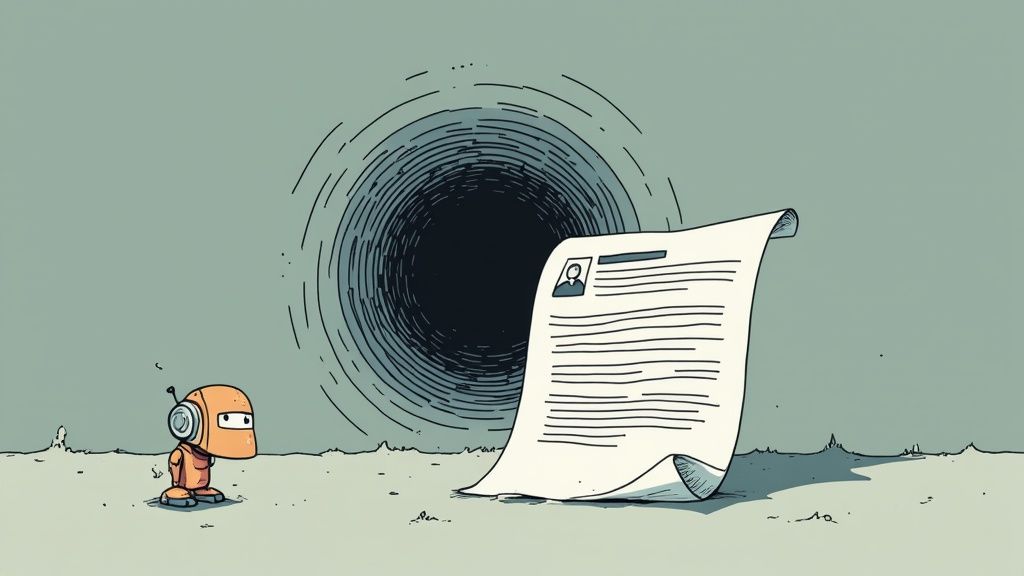
It’s a familiar, sinking feeling. You pour hours into crafting the perfect resume, you hit 'submit,' and then… radio silence. It feels like your application just disappeared into thin air. I've been there, and the truth is, it probably did—but not because you're unqualified.
The real culprit is the Applicant Tracking System (ATS). It's the gatekeeper software that over 98% of Fortune 500 companies use to filter candidates. Before a human recruiter ever sees your resume, this bot gives it a once-over, and frankly, it’s not very smart. It’s programmed to look for specific keywords and formatting, and I've seen it reject perfectly good candidates for simple technical slip-ups.
The Numbers Behind the Silence
The sheer scale of this is mind-boggling. While more than 94% of recruiters say these platforms have made hiring more efficient, the reality for job seekers is brutal. Industry estimates show that only about 2–5% of resumes ever make it past the initial ATS scan.
That means for every 100 applications sent, as many as 98 get filtered out before a hiring manager even knows they exist. You're not just competing against other people; your first battle is with a piece of software.
A New Way to Think About the ATS
Most people think they need to "beat" the ATS, but that's the wrong way to look at it. It’s not an adversary. A better approach is to see it as a system you need to work with. The software isn't trying to be difficult; it’s just a tool for managing a flood of applicants by checking for basic alignment.
Once you understand its rules, you can strategically give it exactly what it’s looking for. This guide will walk you through just that, focusing on three core areas:
- Formatting: Structuring your resume so the software can easily parse and categorize your information.
- Keywords: Mirroring the language from the job description to signal that you're a strong match.
- Submission: Choosing the right file type and avoiding common technical traps that lead to instant rejection.
Mastering these elements is what moves your resume from the digital trash bin to the recruiter’s shortlist.
Getting past the ATS is a huge first step, but it's just that—the first step. Once a human is looking, you need to showcase your work effectively. For that, check out our guide on creating a professional online portfolio to really seal the deal.
Formatting Your Resume for Robots and Recruiters
Let’s get practical here. Getting past an ATS isn't about creating some bland, soulless document. It’s really a two-part strategy: you have to format your resume so a machine can parse it, but it also has to be compelling for the human who (hopefully) reads it next. I learned this the hard way after realizing my visually creative resumes, which people loved, were completely invisible to the bots.
The real goal is a resume that works for both. That means prioritizing clarity and a predictable structure over a flashy, artistic design. The software is programmed to look for specific data in expected places, and if it can't find it, it just assumes it isn't there. This is why a simple, clean layout is your most powerful tool.
The Non-Negotiable Formatting Rules
Think of your resume's format like the foundation of a house. If it’s shaky, everything you build on top of it is going to come crashing down. Over the years, I've boiled it down to a few rules that are absolutely non-negotiable for getting past that initial scan.
- Stick to Standard Fonts: This seems small, but it's crucial. Use common, easy-to-read fonts like Arial, Calibri, Times New Roman, or Georgia. An obscure or overly stylized font can be misinterpreted by the software, turning your carefully crafted experience into a jumbled mess of symbols.
- Use Traditional Section Headings: The ATS is literally programmed to look for specific section titles. You have to stick to universally recognized headings like “Work Experience,” “Education,” and “Skills.” Getting creative with titles like “My Professional Journey” will only confuse the software and likely get your resume tossed.
- Avoid Columns and Graphics: This is a huge one. So many modern resume templates use columns to save space, but most applicant tracking systems read documents from left to right, top to bottom, like a book. This can mash your work history together into a nonsensical paragraph. The same goes for elements like logos, photos, or complex graphics—they’re often ignored or cause parsing errors.
The global ATS market is exploding, projected to be worth over $17.2 billion by 2025. It’s growing at an 8.3% clip every year, and it’s already used by more than 90% of Fortune 500 companies in North America. Mastering these systems isn’t just a good idea anymore; it’s essential for a modern job search.
From Stylish to Scannable: A Real-World Example
Picture a "before" resume. It’s beautifully designed in a slick two-column layout, uses a cool custom font, and has a personal logo in the header. To a person, it looks sharp, modern, and professional. To an ATS, it’s a total disaster.
Now, let's look at the "after" version. We’ve translated it into a simple, single-column document. The contact information is moved out of the header and into the main body of the page. The fancy font is swapped for plain old Arial. The work history now flows chronologically down the page, not split between columns. It might look less artistic, but it’s now a clean, parsable document that both the robot and the recruiter can actually understand.
To make sure your resume sails through that initial screening, it’s worth learning how to create an ATS friendly resume template that still catches a recruiter’s eye.
Of course, a text-only resume doesn't always do your skills justice, especially in a creative field. That's where a portfolio comes in. For showcasing your best visual work, nothing beats it. You can learn more about putting one together in our guide on how to make a PDF portfolio.
Mastering Keywords to Match the Job Description
If your resume's formatting is the foundation, then keywords are the language the ATS is built to understand. The biggest mistake I see job seekers make is sending out a generic resume and just hoping for the best. They’re essentially guessing which words the system is programmed to find, and it's a surefire way to get filtered out.
To get past the ATS, you have to stop guessing and start becoming a keyword detective. The goal is to dissect the job description and mirror the company's language so closely that the software flags you as a high-potential match. This isn’t about tricking the system; it’s about clearly communicating that you have the exact skills the employer is looking for.
Pinpointing High-Value Keywords
Your first step is a careful reading of the job description. But don't just skim it—analyze it. Copy the entire text and paste it into a free online word cloud generator. This simple trick gives you an instant visual map of the most frequently used, and therefore most important, terms.
Words that appear larger and more prominently are your high-priority keywords. Think of these as the skills, technologies, and qualifications that are most critical for the role.
For example, a word cloud for a software engineer position might highlight terms like:
- Python
- Agile
- API Development
- Cloud Services
These are the non-negotiables. Your resume must include these exact terms, assuming you have the experience to back them up.
The numbers don't lie. A detailed analysis of over 12,000 job descriptions found that resumes matching at least 80% of a job's keywords have a 50% higher chance of passing the ATS filters and landing on a recruiter's desk. This makes keyword personalization a statistical necessity, not just a good idea.
Strategically Placing Your Keywords
Once you've identified your target keywords, the next step is to weave them naturally throughout your resume. Keyword stuffing—cramming words into your resume where they don't belong—is a huge red flag for both the ATS and the human recruiter who will eventually read it. The key is to be strategic.
This infographic breaks down the essential formatting steps that ensure your keywords are actually read correctly by the ATS.
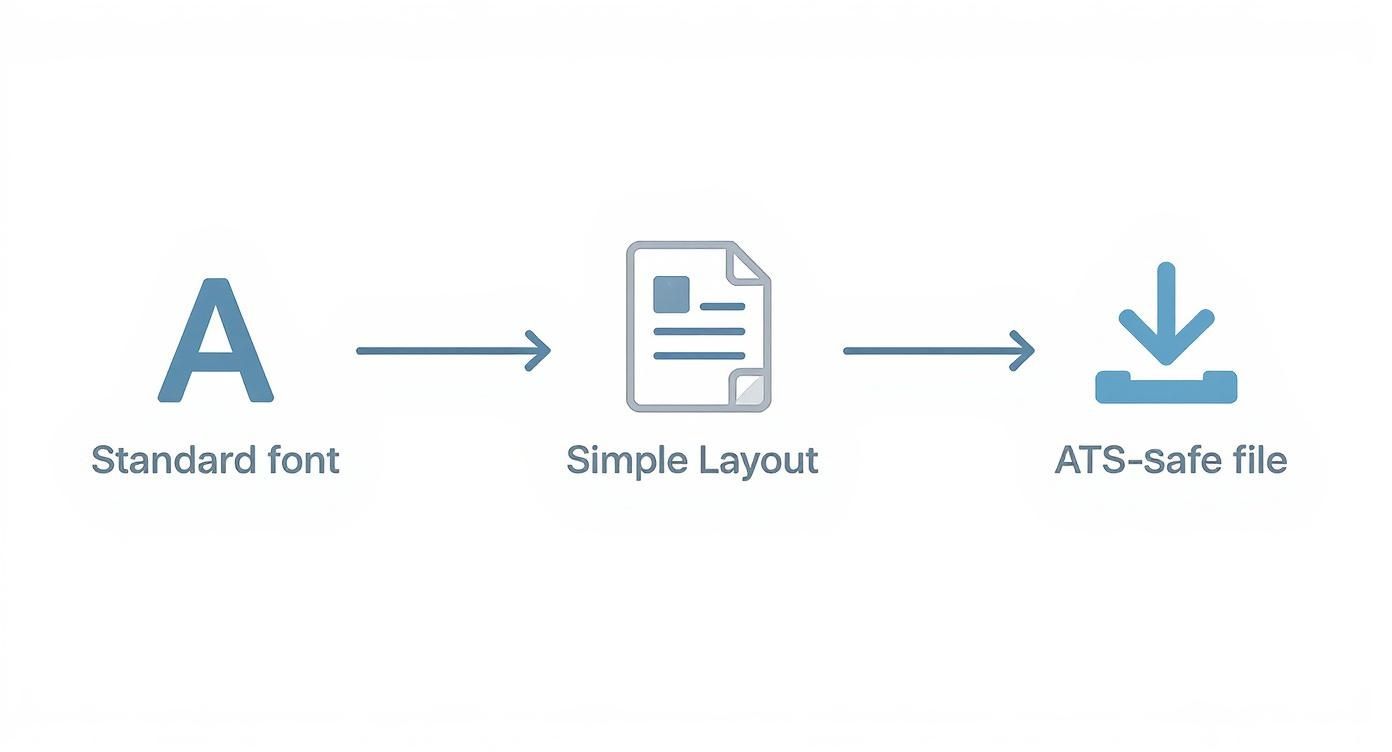
By following a simple flow of using a standard font, a clean layout, and a safe file type, you create a document that software can easily parse, making sure your carefully chosen keywords get seen.
Here’s where you should place them for maximum impact:
- Professional Summary: Weave 2-3 of the most critical keywords into your opening summary. This is your prime real estate to make a strong first impression on both the bot and the human reader.
- Skills Section: Create a dedicated skills section where you can list technical skills, software proficiency, and certifications. Use the exact phrasing from the job description (e.g., "Project Management" instead of "Managed Projects").
- Work Experience Bullet Points: This is where you connect keywords to tangible results. Instead of just listing a skill, show how you used it. For example, change "Responsible for social media" to "Managed social media campaigns using Hootsuite and Sprout Social, increasing engagement by 25%."
Once your resume is optimized, it's time to think about the rest of your professional brand. A strong resume gets you past the ATS, but a great portfolio is what actually lands you the job. To see how to present your work effectively, check out our guide on building a professional portfolio.
Avoiding Simple Mistakes That Get You Rejected
https://www.youtube.com/embed/tUl7YPqs990
It's a frustrating feeling. You spend hours, maybe even days, perfecting your resume's formatting and keywords, only for a simple technical glitch to knock you out of the running. This isn’t a small detail; it can be the single point of failure that gets an otherwise stellar resume tossed into the digital trash bin.
I learned this the hard way early in my career. I once submitted a resume saved as a .pages file, not realizing the ATS on the other end would probably see nothing but a garbled mess. That one mistake likely cost me a great opportunity.
To get past an ATS, you have to do more than just match keywords. You need to understand the quirks of the software itself. Sticking to simple formatting and avoiding uncommon file types is non-negotiable, since complex elements are frequently mangled by these automated systems.
Choosing a Safe File Type
When it comes to file types, your safest bet is almost always a Microsoft Word document (.docx). Just about every ATS out there is designed to parse this format cleanly.
A PDF (.pdf) is a solid second choice, but it comes with a big caveat. If you create the PDF by saving it from a text-based program like Word or Google Docs, you're generally in the clear.
But here’s the trap: if your PDF is essentially an image of text—maybe from a scanner or a design tool like Photoshop—the ATS can’t read a single word. The software just sees a picture, meaning your application shows up completely blank. When in doubt, just stick with .docx.
Never use:
- .pages
- .txt (unless you're pasting directly into a form field)
- .jpeg or .png
- Any file exported from a graphic design program
The Silent Killers of ATS Success
Beyond the file type, a few other common mistakes can quietly sabotage your application before a human ever sees it. These are the silent killers that scramble your data and make your resume unreadable to the software.
Here are the top offenders to watch out for:
- Information in Headers and Footers: This is a huge one. Many applicant tracking systems are programmed to completely ignore headers and footers. Your name, email, and phone number must go in the main body of the document.
- Using Tables and Text Boxes: Much like columns, tables can completely confuse an ATS's parsing logic. The software might read the information out of order, turning your carefully crafted work history into an incoherent jumble.
- Logos, Images, and Graphics: These visual extras add absolutely no value for the ATS and frequently cause parsing errors. Keep your resume strictly text-only to ensure every single word is read correctly.
Even if you're just starting your job search, learning how to create other key application documents is just as important. For example, knowing how to write a compelling cover letter with no experience can give you a serious edge. A great cover letter is the perfect companion to an ATS-friendly resume.
And once you get past the bots, your online presence takes center stage. Our guide on portfolio website design can help you build a site that truly impresses hiring managers.
How to Test Your Resume Before You Apply
Would you walk into a big presentation without a single practice run? Of course not. Hitting 'submit' on a job application without testing your resume is the same kind of gamble.
After all that effort tailoring keywords and tweaking the format, you absolutely need to see your resume the way an ATS sees it. This is your final quality check—the only way to know for sure that your hard work will pay off.
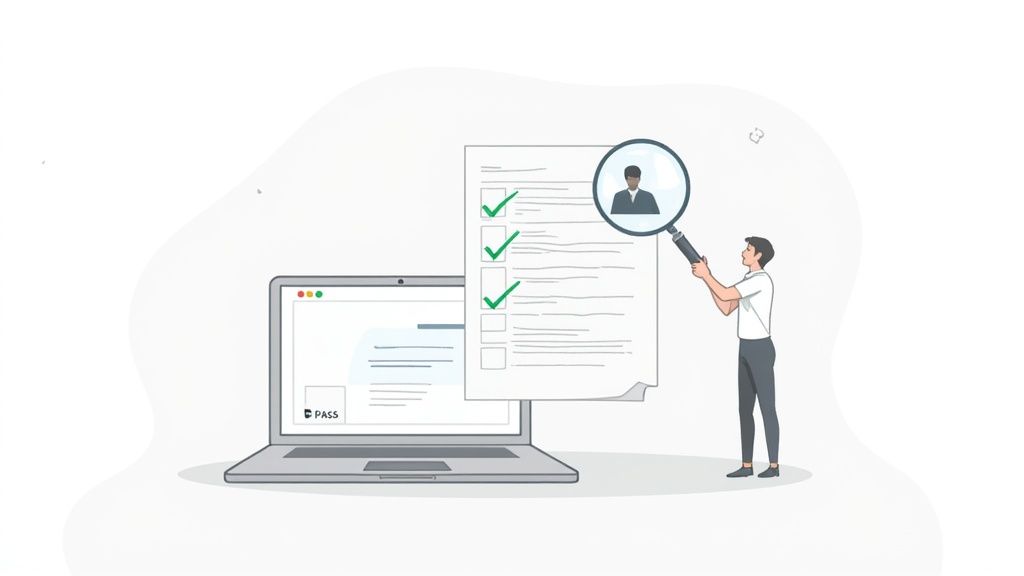
Thankfully, you don't have to guess what the bots are thinking. Plenty of online resume scanners can give you an instant report card on your resume's ATS-friendliness. Many offer free scans or trials, making this a no-brainer step in your job search.
Running a Diagnostic on Your Resume
My process here is pretty straightforward. I upload the final version of my resume and then copy-paste the full job description I’m targeting right into the tool. The scanner runs a side-by-side comparison, spits out a match score, and gives me a detailed breakdown of what's working and what isn't.
This simple step can be incredibly eye-opening. You're no longer just hoping for the best; you're using data to guide your final edits.
The report often flags things you'd never catch on your own:
- Keyword Gaps: You might realize you completely missed a few key phrases from the job description that the ATS is definitely programmed to find.
- Formatting Errors: Maybe that fancy header you designed is scrambling your contact info, or the two-column layout is turning your work history into gibberish.
- Parsing Problems: The scanner shows you exactly how the ATS is reading—or misreading—your skills, dates, and job titles.
Here's the key takeaway from years of doing this: you're aiming for an 80% or higher match score. Anything less, and you're likely getting screened out before a human ever sees your name. Testing shows you that score and gives you a clear path to improve it.
Finding the Right Tool for the Job
Not all scanners are created equal. Some are better for a quick keyword check, while others offer a more detailed technical breakdown. Finding one that fits your needs is key.
Here's a quick look at a few popular tools that can help you test your resume's ATS compatibility.
ATS Resume Scanner Comparison
| Tool Name | Key Feature | Best For |
|---|---|---|
| Jobscan | Direct comparison against specific job descriptions | Tailoring your resume for a single, high-priority role. |
| Resume Worded | AI-powered feedback on impact and style, not just keywords | Getting detailed, line-by-line advice to make your bullets stronger. |
| Skillroads | Free, quick score and basic keyword analysis | A fast, initial check to see if you're generally on the right track. |
These tools give you a crucial glimpse behind the curtain. Pick one, run a scan, and get ready to see your resume from a whole new perspective.
Interpreting the Results and Making Final Tweaks
Once you have your report, it's time to get to work. I always start with the biggest wins first—the high-priority keywords I missed. I’ll go back and find natural, authentic ways to weave them into my experience bullet points or skills section. I'm not just stuffing them in; I'm making sure they fit the context of my accomplishments.
Next, I fix any formatting red flags. If the scanner couldn't read my email address from the header, I move it down into the main body of the document. Simple as that. This diagnostic check provides the confidence that your resume won't get tripped up by a technicality.
Getting past the ATS is the first hurdle, but a compelling story of your work is what truly captures a recruiter's attention. Once your resume is optimized, check out our guide on creating a strong portfolio example to prepare for that next conversation.
Burning Questions About ATS Resumes
Even after you've dotted every 'i' and crossed every 't' on your resume, a few nagging questions can creep in and cause some last-minute doubt. I see the same ones pop up all the time from job seekers trying to nail down their strategy.
Let’s clear the air. Here are some straightforward answers to the most common questions I get.
Should I Really Make a New Resume for Every Single Job Application?
Yes, but it's not as painful as it sounds. You don't need to reinvent the wheel every single time.
My own strategy is to keep a detailed "master resume." This thing is my career bible—it lists every skill, project, and accomplishment I've ever had.
When a new opportunity comes up, I just copy that master file and start trimming and tailoring it to the specific job description. This means swapping out keywords, reordering my bullet points to mirror what the employer cares about most, and giving my professional summary a quick rewrite. It’s a small time investment that pays off big time.
A detailed analysis found that hitting an 80% keyword match with the job description can boost your chances of getting an interview by a staggering 50%. A generic, one-size-fits-all resume just can't compete with those numbers.
Do I Still Need a Cover Letter for an ATS?
Honestly, it’s a bit of a mixed bag, but I always lean toward a firm "yes."
Some of the newer, more sophisticated ATS platforms will actually scan cover letters for extra keywords, giving you another shot to prove you're a great fit. On the flip side, older systems might just toss them aside. But here's the thing: it rarely hurts to include one.
Here’s my rule of thumb: if the application has a specific spot to upload a cover letter, you absolutely should. Think of it as your first—and best—chance to speak directly to the human who will see your application after it gets past the robot. Just be sure to submit it as a separate, simply formatted file. Never, ever embed it into your resume document.
What if the Application Makes Me Copy and Paste My Resume?
Ah, the dreaded text box. This is a classic sign of an older, clunkier ATS. When you run into one of these, your perfectly formatted resume suddenly becomes your worst enemy.
The best way to handle this is to have a plain text (.txt) version of your resume ready to go at all times.
You can make one in seconds. Just open your resume in any word processor and use the "Save As" function to select "Plain Text." This strips out all the hidden code and formatting that can trip up the system.
Before you paste it in, open that .txt file and do a quick cleanup. Manually add some line breaks and maybe use simple asterisks (*) for your bullet points to keep things readable. It won’t be pretty, but the system will get clean, easy-to-digest data, which is the only thing that matters here.
An ATS-friendly resume gets your foot in the door, but a stunning online portfolio is what truly seals the deal. With Fantastic Portfolios, you can turn that optimized resume into a professional website in seconds. Our AI-powered builder showcases your skills and helps you stand out to recruiters, all with a shareable URL and built-in analytics. Start building for free and make your first impression unforgettable at https://fantasticportfolios.com.