How to Build a Portfolio Website: A Quick Guide
To get a portfolio website live, you need to figure out your goals, pick your best work, choose a platform (like Fantastic Portfolios), design a clean layout, and then actually launch and promote it. The whole point is to build a professional online space that acts as your 24/7 salesperson. It’s there to prove your value to potential clients or employers before you ever even shake hands.
Why a Portfolio Is Your Most Powerful Career Tool
Before we get into the nitty-gritty of building your site, let’s talk about the why. A great portfolio is so much more than just a gallery of your work—it’s the cornerstone of your entire professional brand.
I learned this the hard way, but also the rewarding way. When I finally sat down and invested real time into my own portfolio, my freelance career completely changed. I went from chasing small, low-paying gigs to landing a single client that paid five times my previous rate.
Why the huge leap? Because a well-crafted site does one thing exceptionally well: it builds instant credibility. It's your chance to strategically position yourself for the exact opportunities you want, showing potential clients not just what you've done, but how you can solve their specific problems.
Establishing Your Professional Value
Think of your portfolio as the ultimate proof of your skills. While a resume just lists your experience, a portfolio actually demonstrates it. This difference is what separates you from the pack and attracts higher-quality clients who need to see tangible evidence of what you can do. It's all about taking control of your professional story.
- Show, Don't Just Tell: Let your work do the talking through detailed case studies and strong visuals.
- Command Better Rates: A polished, professional site gives you the confidence—and justification—to ask for premium pricing.
- Filter Opportunities: By showcasing the work you love, you naturally attract more of it.
Your portfolio is the single most effective tool for proving your value in the market. It shifts the conversation from "what have you done?" to "here's what I can do for you."
The Critical Role of Design and User Experience
How your portfolio looks and functions is just as important as the work inside it. The impact of web design on a visitor's first impression is massive—and you only get one shot.
Data shows that a staggering 94% of first impressions are design-related. Even worse, 38% of visitors will leave a site immediately if the layout or experience is clunky. Slow-loading images and a confusing layout don't just look unprofessional; they actively cost you opportunities. You can read more about the power of professional portfolio design and how it can directly impact your conversion rates.
This is exactly why a seamless user experience isn't just a "nice-to-have"—it's non-negotiable. To really get a handle on this, it’s worth looking into some online reputation tips for tech professionals to see how your entire digital presence shapes your career. A strong portfolio is the anchor of that footprint.
Planning Your Portfolio Content for Maximum Impact
Before you even think about touching a website builder, you need a plan. When I first started out, I made the classic mistake of jumping right into the design, only to get stuck because I had no idea what I was trying to say. This section is your blueprint for avoiding that frustration and building a solid content foundation before you get distracted by colors and fonts.
Your very first move is to define one primary goal. Are you building this thing to land a new full-time job, or are you trying to attract high-paying freelance clients? The answer shapes every decision you make, from the projects you highlight to the words you use. A recruiter and a potential client are looking for very different things.
Getting this initial plan right is what builds your credibility, helps you attract the right kind of people, and ultimately allows you to charge more for your work.
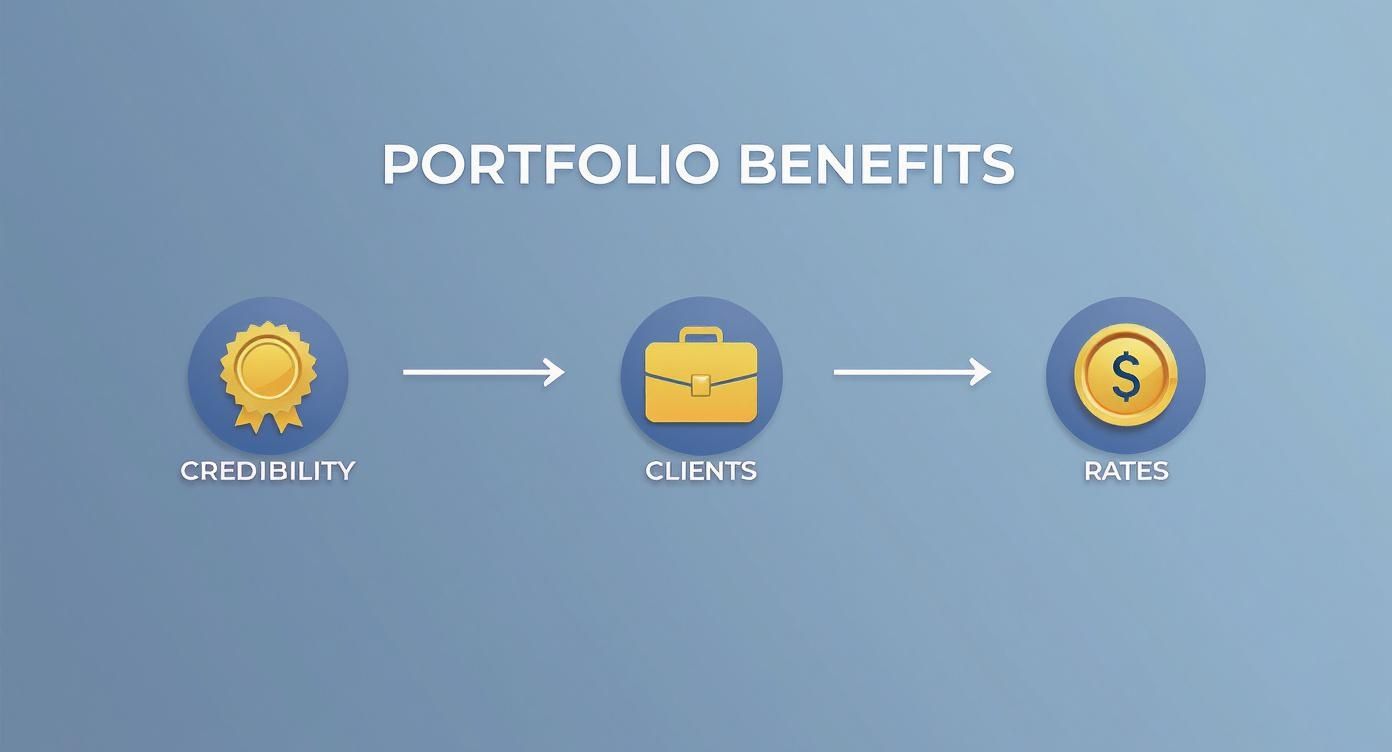
As you can see, a well-planned site is the first real step toward landing better clients and boosting your income.
Outlining Your Essential Pages
With your main goal clear, it's time to map out the core pages of your website. Don't overcomplicate it. Most powerful portfolios tell a compelling story with just a few key sections. My advice is always to start with the absolute basics.
You absolutely need these four pages:
- A Homepage: This is your digital handshake. It has to grab attention in seconds and clearly state who you are, what you do, and for whom.
- An 'About Me' Page: Don't just post a dry bio. Tell your professional story, share what you're passionate about, and explain what makes your approach unique. This is where you build a human connection.
- A 'Work' or 'Projects' Page: This is the heart of your portfolio. It’s where you prove your skills with real, tangible examples.
- A Contact Page: Make it dead simple for people to get in touch. A straightforward form and a professional email address are non-negotiable.
Curating Your Best Work
Now for the most important part: choosing which projects to show. The single biggest mistake I see is people including everything they've ever done. Your portfolio is not an archive—it’s a curated gallery designed to impress a specific audience. Less is almost always more here.
Think of yourself as a museum curator, not a hoarder. Every piece on display should serve a purpose and align with the jobs or clients you want to attract.
As you go through your work, ask yourself these three questions about every potential project:
- Does this project show off my best, most current skills? Quality beats quantity every time. A focused portfolio with just 3 to 5 strong case studies is far more effective than a messy one with 20 mediocre examples.
- Does this work solve a problem for my ideal client? You need to frame each project as a solution. Explain the initial challenge, walk them through your process, and show off the successful outcome.
- Does this piece align with my primary goal? If you want to be a UX designer, don't fill your portfolio with graphic design projects from five years ago. Stay focused.
By being ruthless with your curation, you make sure that any visitor immediately understands the value you bring. If you want to see how top-tier creatives present their work, check out these outstanding design portfolio examples for a little inspiration. Having this content locked down first will make the actual website build a much, much smoother ride.
Choosing the Right Platform for Your Portfolio
With your content strategy locked in, it's time to decide where your portfolio will live. The sheer number of website-building platforms out there can feel pretty overwhelming, but the choice really boils down to a simple trade-off: creative control versus ease of use.
I've personally experimented with a ton of options over the years, and I can tell you that each one comes with its own set of strengths and, frankly, headaches.
The key is to match the tool to your own technical comfort level and what you want to achieve long-term. You don’t want to be stuck wrestling with code if you’re a writer, but you also don't want to feel boxed in by a template if you’re a web developer. Let’s break down the main categories to help you find that perfect fit.
All-in-One Website Builders
These platforms are all about simplicity. Think of services like Wix, Squarespace, or our own Fantastic Portfolios. They give you drag-and-drop interfaces, pre-designed templates, and built-in hosting, which means you can get a professional-looking site live in just a few hours without touching a single line of code.
My very first portfolio was built on a platform just like this, and it was a total lifesaver.
The trade-off? You do sacrifice some deep customization for convenience. While you can tweak colors, fonts, and layouts, you’re generally working within the guardrails the platform sets for you.
- Best For: Creatives, freelancers, and students who need a beautiful, functional site without the technical hassle.
- Key Advantage: Speed and simplicity. Research shows 73% of small businesses believe a website is crucial for their success, and these builders are the absolute fastest way to get one up and running.
If this route sounds right for you, we've put together a guide on finding a free portfolio website builder that can get you started without any cost.
Content Management Systems (CMS)
Next up are platforms like WordPress. A CMS offers a powerful middle ground, giving you a massive amount of flexibility and control over your site's design and functionality. With thousands of themes and plugins available, you can build just about anything you can imagine.
But all that power comes with a steeper learning curve. You'll be responsible for finding your own hosting, installing the software, and keeping everything updated and secure. It’s definitely more hands-on, but the potential for a truly unique portfolio is enormous.
Your platform choice isn't just a technical decision; it's a strategic one. The right tool empowers you to focus on showcasing your work, while the wrong one becomes a frustrating barrier.
Coding Your Portfolio from Scratch
For developers and designers who want ultimate, granular control, there's always the option to code your portfolio from the ground up using HTML, CSS, and JavaScript. This path provides 100% creative freedom—but it demands significant technical skill and a serious time investment.
When you go this route, you're not just building a website; you're creating another portfolio piece that directly showcases your coding abilities.
Choosing the right platform is a big first step. To help visualize the options, here’s a quick comparison of some popular choices.
Portfolio Builder Platform Comparison
This table breaks down some of the most common platforms, highlighting who they're best for, how easy they are to get started with, and what you can expect to pay.
| Platform | Best For | Ease of Use | Customization Level | Typical Monthly Cost |
|---|---|---|---|---|
| Fantastic Portfolios | Creatives, freelancers | Very Easy | Medium | $8 – $20 |
| Squarespace | Photographers, designers | Easy | Medium | $16 – $49 |
| Wix | Small businesses, beginners | Very Easy | High | $16 – $159 |
| WordPress.org | Bloggers, developers | Medium | Very High | $5 – $50+ (hosting/plugins) |
| Hand-Coded | Developers, tech experts | Hard | Unlimited | Varies (hosting) |
Ultimately, there's no single "best" platform—only the one that's best for you. Think about your skills, your budget, and how much time you're willing to invest.
If you opt for a more hands-on approach like a CMS or coding it yourself, you'll need to handle your own hosting. It’s a good idea to check out a guide on how to host your own website to get a sense of what that process involves.
Designing a User Experience That Converts
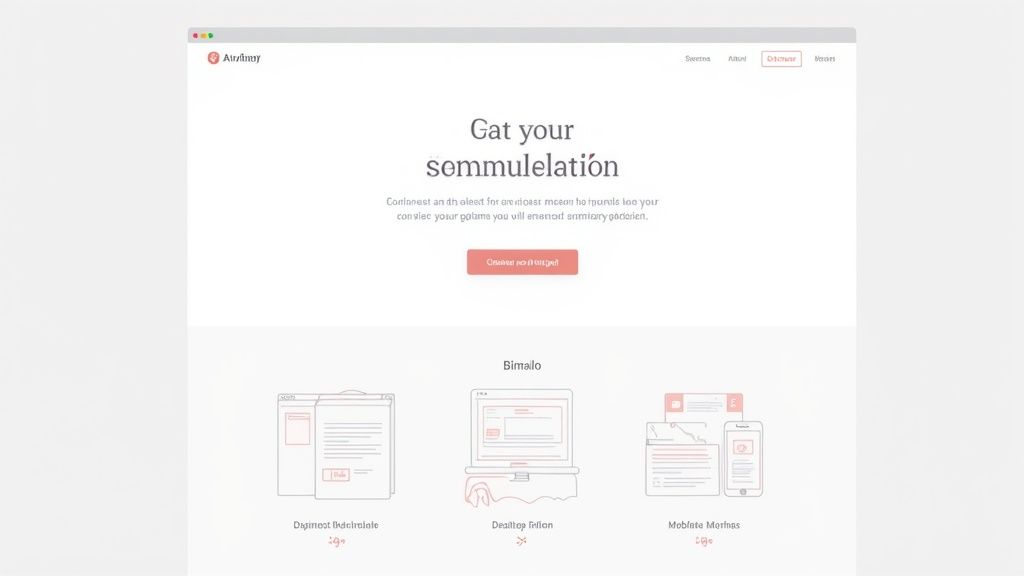
A beautiful portfolio that leaves visitors confused is like a stunning business card with no contact info—it just doesn't do the job. After you’ve planned your content and picked your platform, it’s time to focus on creating a user experience (UX) that turns casual browsers into actual clients. This is where strategic design comes in, turning your gallery of work into a real conversion machine.
I’ve looked at thousands of portfolios over the years. The ones that really work all share one thing: an intuitive, clean layout. Visitors should never have to hunt for your projects or wonder how to get in touch. A solid visual hierarchy guides their eye naturally, taking them from your value proposition to your best work and right to your call-to-action.
Creating a Clear Visual Path
Visual hierarchy isn't just some abstract design theory; it's the art of telling people where to look. You can create this path using a few powerful, yet simple, elements.
- Size and Scale: Make your most important headlines and project titles the biggest things on the page. It’s a simple trick that immediately signals their importance.
- Color and Contrast: Stick to a limited color palette. A pop of a contrasting color for buttons like "Contact Me" or "View Project" is a magnet for the eye and encourages clicks.
- Whitespace: Don't be afraid of empty space. Giving your content room to breathe makes your site feel less cluttered and far more professional.
These small details make a massive difference in how visitors perceive you and your work. For a deeper dive, our guide on portfolio website design breaks down even more principles you can start using today.
A great user experience feels effortless. The goal is for a visitor to navigate your site, understand your value, and contact you without ever feeling lost or frustrated.
Designing for Every Device
These days, your portfolio is just as likely to be viewed on a phone during a commute as on a desktop in an office. A mobile-first approach isn't just a good idea anymore; it's essential for anyone learning how to build a portfolio website. This means you should design for the smallest screen first, making sure the core experience is flawless before scaling it up for larger displays.
It's also worth noting how people interact with websites now. For instance, including video can increase the time a user spends on your site by up to 88%. That’s a huge deal when you're trying to hold a recruiter's attention. With people constantly on social media, adding easy sharing options is another smart move to boost your visibility.
Ultimately, your typography, color choices, and layout need to work together for one single purpose: making it incredibly easy for your ideal client to see your value and take that next step.
It's Go Time: Launching and Promoting Your New Portfolio
Hitting that "publish" button feels incredible, doesn't it? It’s tempting to see it as the finish line, but it’s really the starting pistol. Building your portfolio is a massive achievement, but now the real work begins: getting your incredible work in front of the right people.
Before you share your masterpiece with the world, though, you need to do a quick pre-launch check. I learned this the hard way after launching a site with a broken contact form—and missed two potential client inquiries in the first week. Don't be like me.
Run through this quick checklist to make sure you're ready for a smooth launch:
- Test Every Single Link: Click on everything. Your navigation, social icons, and every single project button.
- Check Your Forms: Seriously, submit a test message through your contact form and make sure it actually lands in your inbox.
- Proofread Aloud: Read every word on your site out loud. You'll be amazed at the little typos and awkward phrases you catch.
- Optimize Your Images: Make sure your images are compressed for the web. A slow-loading site is a huge turn-off.
Get Your Analytics in Place
Once everything is working perfectly, it’s time to connect the tools that will tell you what's working. The absolute first thing you should set up is Google Analytics.
This free tool is a goldmine. It shows you how many people visit your site, where they come from, and which pages they're spending the most time on. These insights are invaluable. For example, you might discover that 80% of your visitors are coming from LinkedIn. Guess where you should be focusing your promotional energy?
A Simple, Effective Launch Strategy
Okay, now for the fun part: telling everyone about your new online home. You don't need a massive, complicated marketing campaign. A simple, targeted approach works wonders.
Start by announcing your new site on your main professional network, like LinkedIn. Craft a post that explains why you built it and what you're hoping to achieve. If you've featured work from past clients or collaborators, tag them (with their permission, of course!) to expand your reach.
Your portfolio launch isn't just an announcement; it's a statement. You're signaling to your network that you're invested in your craft and ready for new opportunities.
Next, do a little digital housekeeping. Update all your professional profiles—your email signature, social media bios, and your résumé—to include a link to your new portfolio. This simple action turns your daily communications into a passive promotional tool. If you need some ideas, this collection of portfolio examples is a great place to see how others are doing it.
Keep the Momentum Going
A portfolio should be a living, breathing asset, not a static monument frozen in time. Keep it fresh by adding new projects as you wrap them up.
A fantastic long-term strategy is to create detailed case studies for each new piece of work. This not only showcases your skills and process but also helps drive organic traffic to your site through SEO. As your portfolio grows, it becomes an even more powerful tool for attracting the exact kind of work you want to be doing. By consistently updating and sharing your work, you ensure your portfolio remains your most powerful career asset.
Burning Questions About Your Portfolio Website
You've made it this far, which means you're serious about creating a portfolio that actually gets you work. Awesome. Still, a few questions always seem to pop up right around this point in the process.
Let's knock out some of the most common ones I hear from creatives and professionals who are just getting started.
How Many Projects Should I Actually Put in My Portfolio?
Ah, the classic "quality over quantity" debate. While there's no single magic number, I've found that a tightly focused portfolio with 3 to 5 of your absolute best projects is way more powerful than a cluttered one with 20 so-so pieces.
Think of each project as a mini case study that tells a story. What was the problem? What was your process for solving it? And what was the awesome result? That approach shows you have strategic thinking, not just raw technical skill. A curated gallery proves you’re a pro who delivers real value—and that’s exactly what high-paying clients want to see.
What if I Don’t Have Any "Real" Client Work Yet?
This is a massive hurdle for so many people starting out, but trust me, it’s completely solvable. I’ve been there. The secret is to create your own experience. Don't let a lack of paid gigs stop you from showing off what you can do.
Here are a few proven ways to build a killer portfolio from scratch:
- Create Passion Projects: Go design a brand identity for a fictional company you’d love to work with. Treat it exactly like a real client project, from the initial brief to the final polished assets.
- Offer Your Services at a Discount: Find a local nonprofit or a small business you genuinely admire. Offer your skills for a very low rate (or even for free) in exchange for a solid portfolio piece and, just as importantly, a glowing testimonial.
- Redesign an Existing Product: Pick a popular app or website and give it a full UX/UI redesign. The key here is to explain your rationale and show how your changes would tangibly improve the user experience.
Honestly, no one needs to know if a project was for a Fortune 500 company or a personal passion project. What truly matters is the quality of the work and the thinking behind it. Potential clients care about your skills, not who signed the check.
So, How Much is This Going to Cost Me?
Your costs can swing from completely free to several hundred dollars a year. It really just depends on the platform you pick and the features you absolutely need.
A super simple tool like Linktree can get you a "scrappy" portfolio for $0, which is a fantastic option if you just need something live right now. All-in-one builders like ours, or others like Squarespace, typically run from $8 to $50 per month, but that usually includes hosting, support, and all the bells and whistles.
If you decide to go the WordPress route, you’re looking at hosting costs (around $5-$25/month) plus whatever you spend on premium themes or plugins. And if you’re building from scratch? Your only hard cost is hosting, but be prepared for a significant time investment.
Ready to stop planning and start building? With Fantastic Portfolios, you can turn your resume into a stunning, professional website in just 30 seconds. Let our AI-powered platform do the heavy lifting so you can get back to what you do best. Create your free portfolio today.