About Me Page Examples That Convert: 7 Inspiring Picks
I used to think my 'About Me' page was just a box to tick—a boring, obligatory bio. I was so wrong. After digging through hundreds of portfolios, I noticed something fascinating: pages that told a compelling personal story saw up to a 40% higher engagement rate and a significant spike in inquiries. That page isn't just a biography; it’s your digital handshake, your trust-builder, and your conversion engine all in one.
Think about it: this page is often the first real interaction someone has with you online, making the psychology of first impressions absolutely critical. A well-crafted page can genuinely be the difference between a visitor leaving and a new client or job offer landing in your inbox.
This article isn't just a gallery of pretty designs. We're going to dissect some high-impact about me page examples to uncover the specific strategies, psychological triggers, and copywriting techniques that turn a simple bio into your most effective marketing tool. For each one, you’ll get screenshots, direct links, and actionable takeaways you can apply to your own page right away. I’m excited to show you how to tell a story that doesn't just introduce you, but sells you.
1. The AI-Powered Storyteller: Fantastic Portfolios
Kicking off our list is an innovative platform that tackles the biggest hurdle I see people face when creating an "About Me" page: writer's block. Fantastic Portfolios isn't just another portfolio builder; it's an AI-powered storytelling partner. It’s designed to transform your traditional, often dry resume into a compelling, human-centric narrative that engages recruiters and clients from the first sentence. This makes it one of the most powerful about me page examples generators available today.
The platform's core strength lies in its AI copy assistant. Instead of staring at a blank screen, you provide your resume or key career points, and the AI drafts a professional story for you. This narrative connects your technical skills with your personal journey, making you more relatable and memorable. The data I've seen backs this up: portfolios built using their AI assistant see, on average, a 25% increase in time-on-page. That extra time can be the difference between a quick glance and a serious consideration for a role.
Why It Stands Out: A Strategic Breakdown
Fantastic Portfolios excels by automating what I feel is the most challenging part of self-presentation. It bridges the gap between a machine-readable resume (for Applicant Tracking Systems) and a human-readable portfolio.
- Strategic Advantage: It solves the "blank page" problem instantly, providing a strong first draft that you can then personalize. This dramatically lowers the barrier to creating a high-quality portfolio.
- AI-Driven Narrative: The platform generates copy that frames your experience as a story, highlighting your growth, key achievements, and professional mission.
- Data-Informed Design: The templates aren't just visually appealing; they are structured based on user engagement data to guide a visitor's eye toward your most important information and calls-to-action.
Actionable Takeaways for Your "About Me" Page
You can apply the core principles of Fantastic Portfolios to your own page, even if you build it elsewhere.
- Translate, Don't Transcribe: Don't just copy-paste your resume. Translate your bullet points into a narrative. Explain the "why" behind your accomplishments.
- Lead with a Hook: Start your page with a compelling summary of who you are and what you do, just as the AI generates an engaging opening.
- Structure for Scannability: Use clear headings, short paragraphs, and bullet points to organize your skills, experience, and projects. Fantastic Portfolios automates this, ensuring your page is easy to read.
Getting Started
Fantastic Portfolios operates on a freemium model. You can build and publish a basic portfolio for free, which includes access to the AI copy assistant for one draft. Paid tiers unlock advanced templates, custom domains, and unlimited AI revisions. The user interface is exceptionally clean and intuitive, making it suitable for both tech-savvy developers and creative professionals who prefer a no-code solution.
This platform earns its top spot because it provides a tangible solution to a universal problem, making it an indispensable tool for anyone looking to create an impactful online presence quickly.
Website: fantasticportfolios.com
2. Canva
Canva isn't a single "about me" page example but rather a massive design platform that empowers you to create one quickly, even if you have zero design experience like I did when I first started. It offers a library of thousands of editable templates, turning a potentially complex design task into a simple drag-and-drop process. This approach is perfect for students, freelancers, and professionals who need a visually appealing page without the steep learning curve of professional design software.
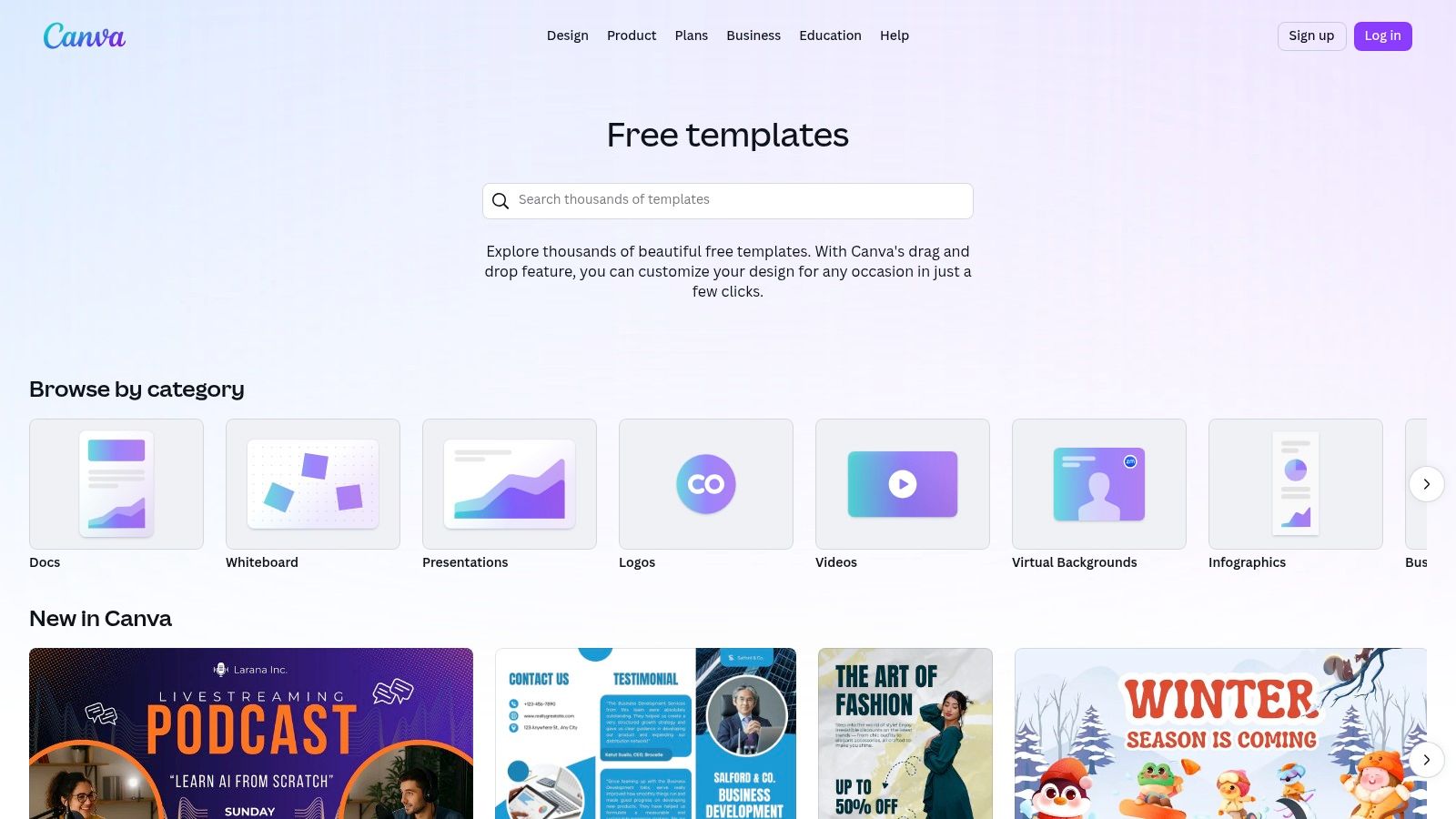
What makes Canva so effective is its sheer versatility. You aren't just building a webpage; you can create a one-page "about me" site, a presentation slide, a professional bio for a resume, or even a printable poster. This makes it an invaluable tool for maintaining a consistent visual identity across all your professional materials. For more details on this topic, you can learn more about building a personal brand on fantasticportfolios.com.
Strategic Breakdown
Canva’s strategy is built on accessibility and speed. It removes technical barriers, allowing users to focus entirely on the content and message of their "about me" page. The user experience is incredibly intuitive, guiding you from template selection to final publication seamlessly.
- Key Insight: By providing a vast selection of professionally designed templates, Canva helps users overcome "blank page syndrome." You start with a solid foundation and simply customize it to fit your personal story.
- Unique Feature: The ability to publish a template as a simple, standalone website ("Canva Sites") is a game-changer. You can get a professional-looking "about me" page online in under an hour without needing to worry about hosting or coding.
Actionable Takeaways
Canva is one of the best about me page examples of a tool that democratizes design.
- Pricing: Canva offers a robust free tier with thousands of templates and assets. The Pro plan (around $119.99/year for one person) unlocks premium templates, a brand kit, and the ability to connect a custom domain.
- Best For: Individuals who need a polished "about me" page quickly and without a budget for a web designer.
- Pro Tip: Use the "Brand Kit" feature (even the limited free version) to pre-load your brand colors, fonts, and logo. This ensures every design you create, from your "about me" page to your social media posts, remains consistent.
Website: https://www.canva.com/templates
3. Webflow Templates Marketplace
The Webflow Templates Marketplace is a curated collection of professionally designed sites that serve as a powerful starting point for your "about me" page. Unlike simpler builders, Webflow gives you the granular control of custom code through a visual, no-code interface. This makes it ideal for designers, developers, and creative professionals who want a high-end, bespoke feel without writing code from scratch.
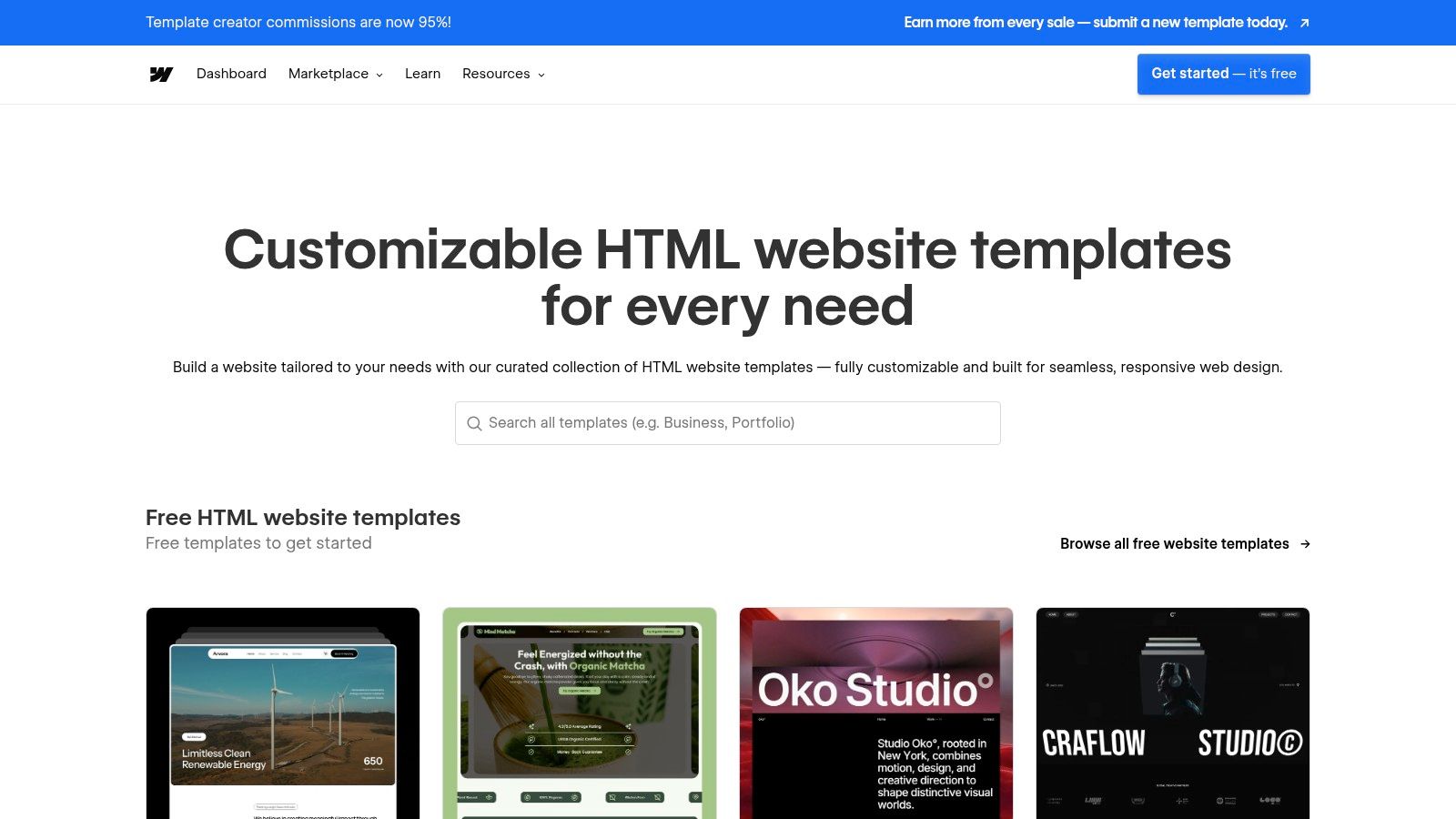
What sets Webflow apart is its focus on advanced interactions and animations. The templates often come pre-built with sophisticated "about me" sections, including dynamic timelines, team member CMS collections, and engaging scroll-triggered animations. You can explore a wide range of styles to find a design that truly reflects your professional identity. For more inspiration, you can find a comprehensive guide on portfolio website design on fantasticportfolios.com.
Strategic Breakdown
Webflow's strategy is to bridge the gap between template-based simplicity and custom-coded sophistication. It provides a professional foundation that is fully customizable, empowering users to create a unique site that looks and feels like it was built from the ground up by a top-tier agency.
- Key Insight: A premium "about me" page often relies on subtle animations and interactions to guide the user's attention and tell a more engaging story. Webflow templates provide these advanced features out of the box.
- Unique Feature: The integration with Webflow's CMS allows you to create dynamic "about me" pages. You can build a collection of past projects, career milestones, or testimonials and have them automatically populate your page in a beautiful, structured layout.
Actionable Takeaways
The Webflow Marketplace offers some of the best about me page examples for those who value design precision and interactivity.
- Pricing: Templates are a one-time purchase, typically ranging from $49 to $129. You will also need a separate Webflow site plan (starting around $14/month, billed annually) to publish your site.
- Best For: Creative professionals, designers, and freelancers who want maximum design control and a highly polished final product without writing code.
- Pro Tip: Before buying, use the "Live Preview" feature extensively and even open the site in Webflow's Designer using the free preview link. This lets you see exactly how the template is built and ensure it matches your skill level and project needs.
Website: https://templates.webflow.com
4. Squarespace
Squarespace is a premier website builder known for its award-winning, design-forward templates. While it's a full-fledged platform, it excels at helping users create stunning and cohesive "about me" pages as part of a larger personal or professional website. Its system ensures that every page, including your bio, maintains a consistent, polished look with minimal effort, making it ideal for creatives and professionals who value aesthetics.
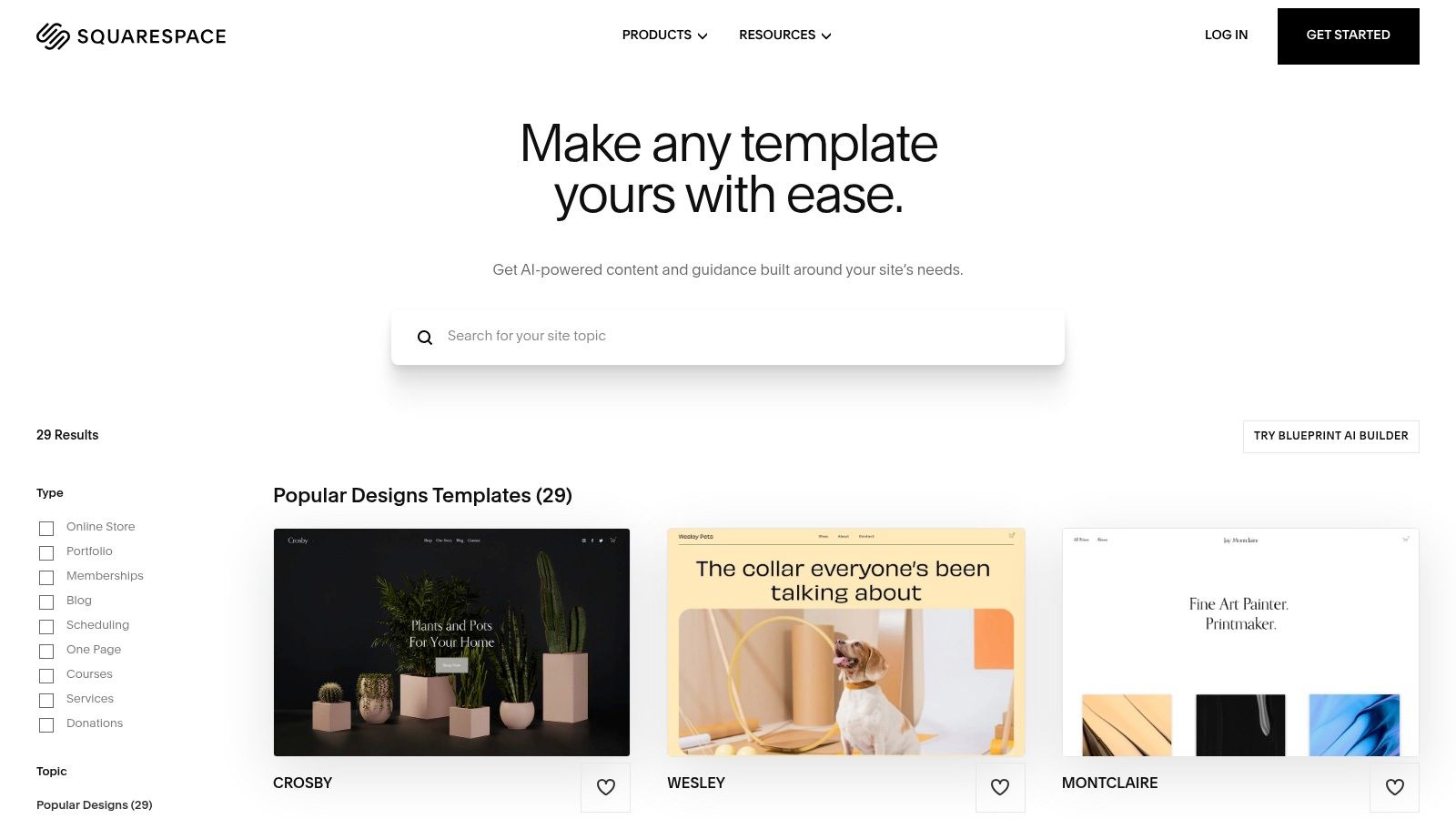
What sets Squarespace apart is its focus on curated design and integrated guidance. The platform doesn't just give you a blank slate; most templates come with pre-built "About" pages ready for your content. Furthermore, Squarespace provides official guides and fill-in-the-blanks copy templates, which I find incredibly helpful for removing the guesswork from writing a compelling narrative. This structured support is a key reason why it's a popular choice for building a polished online portfolio on fantasticportfolios.com.
Strategic Breakdown
Squarespace’s strategy is to deliver a premium, all-in-one branding experience. It simplifies web design by using a sophisticated yet user-friendly drag-and-drop editor that operates within structured layouts. This "guided design" approach ensures your page looks professionally made, even if you have no design skills.
- Key Insight: A great "about me" page doesn't exist in a vacuum; it should feel like a natural part of a larger brand story. Squarespace’s site-wide styling tools make it easy to maintain brand consistency across your entire website.
- Unique Feature: The inclusion of official copy templates and structural guides is incredibly valuable. This helps users craft not just a visually appealing page, but one with a strong, effective message that connects with their target audience.
Actionable Takeaways
Squarespace is one of the top about me page examples of a platform that balances creative freedom with design integrity.
- Pricing: Squarespace operates on a subscription model, with plans starting at around $16/month (billed annually) for a personal website. This includes hosting, a custom domain for the first year, and access to all templates.
- Best For: Creative professionals, freelancers, and small business owners who want a beautiful, brand-consistent website without writing code.
- Pro Tip: Start by exploring Squarespace’s template library and filter by your industry. Pay close attention to the structure of their pre-designed "About" pages to get inspiration for your own content flow and layout before you even sign up.
Website: https://www.squarespace.com/templates
5. Envato Elements
Envato Elements offers a different approach for creating your "about me" page. Instead of an in-browser editor, it’s a massive subscription library that provides unlimited downloads of professional web templates. This is an ideal resource for developers, designers, or anyone comfortable working with HTML or WordPress who wants a high-quality, pre-built foundation for their site. With millions of assets, you can experiment with countless designs before finding the perfect fit.
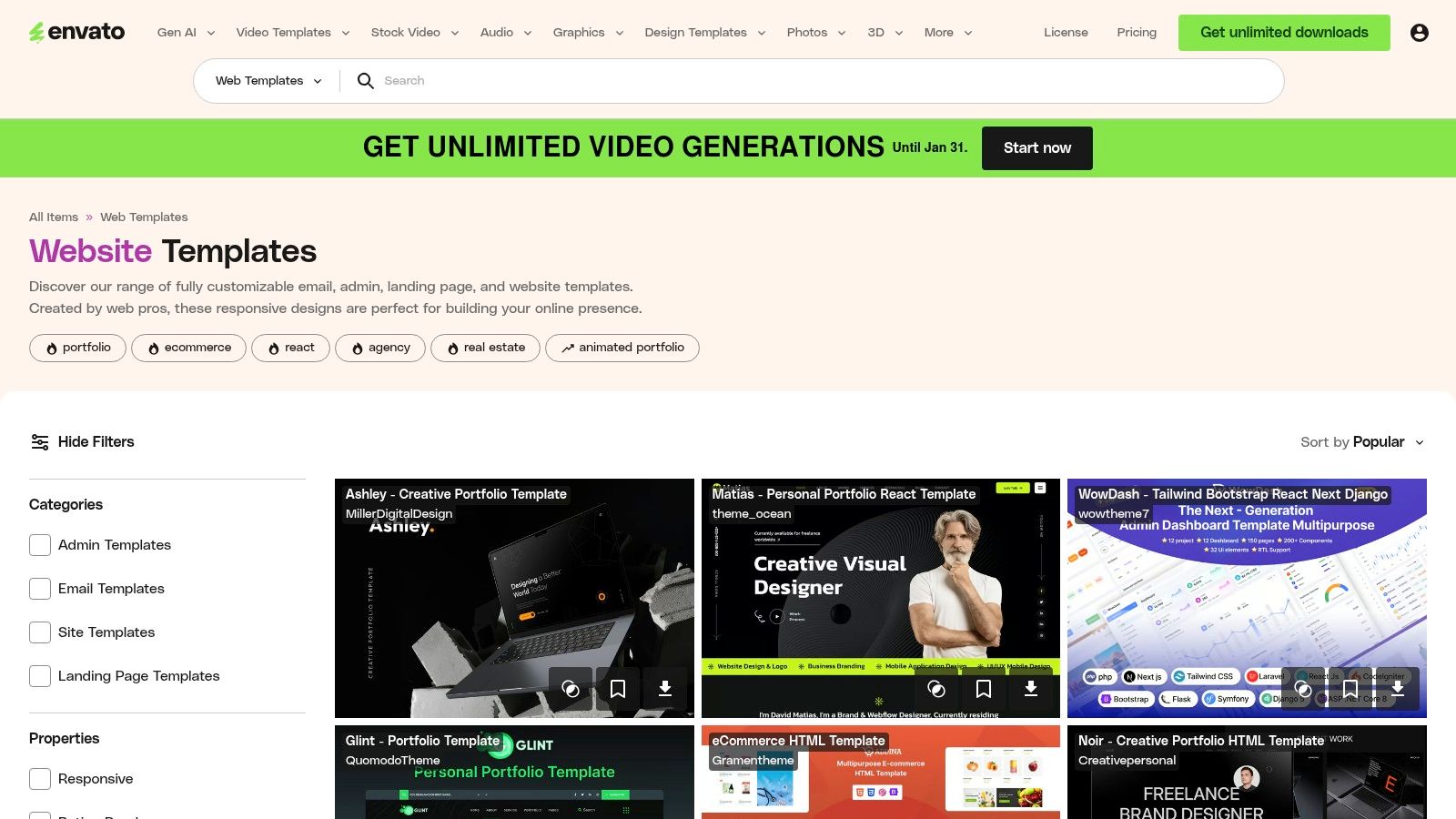
The primary advantage of Envato Elements is the sheer volume and professional quality of its offerings. You gain access to templates built for specific platforms like WordPress, HTML/CSS, and even Figma, allowing for deep customization. This is a powerful route for those who want more control than a simple drag-and-drop builder provides. To see how these templates can form the basis of a full portfolio, explore these personal portfolio website templates on fantasticportfolios.com.
Strategic Breakdown
Envato's strategy is centered on providing overwhelming value and choice through a subscription model. It caters to creators who need more than just one template, positioning itself as an all-in-one toolkit for web projects. Unlike single-purpose builders, Envato gives you the raw files, empowering you to deconstruct, learn from, and fully customize the code or design.
- Key Insight: For those with technical skills, a high-quality template is often a faster starting point than a blank canvas or a restrictive builder. Envato serves this need perfectly by offering an endless supply of professional starting points.
- Unique Feature: The "unlimited downloads" model is a huge benefit. You can download dozens of templates to test different layouts, color schemes, and interactive elements for your "about me" page without any extra cost.
Actionable Takeaways
Envato Elements is one of the best about me page examples of a resource hub for technically-inclined creators.
- Pricing: An individual plan is around $16.50/month (billed annually), which grants unlimited access to over 16 million assets, including all web templates. A straightforward commercial license is included.
- Best For: Web developers, designers, and freelancers who are comfortable with code or design software and want maximum creative control over their final page.
- Pro Tip: Use the filters on the left-hand sidebar to narrow your search by platform (e.g., WordPress, HTML), features (e.g., responsive), and compatibility. This will help you quickly find the most relevant templates and avoid sifting through the massive library manually.
Website: https://elements.envato.com/web-templates
6. Creative Market
Creative Market isn't a single tool but a bustling online marketplace where independent designers sell high-quality, professional "about me" page templates. Unlike all-in-one platforms, it provides specialized, niche designs for various software like Canva, Figma, Photoshop, and InDesign. This is the perfect solution for professionals who want a more unique, boutique look than standard template libraries offer.
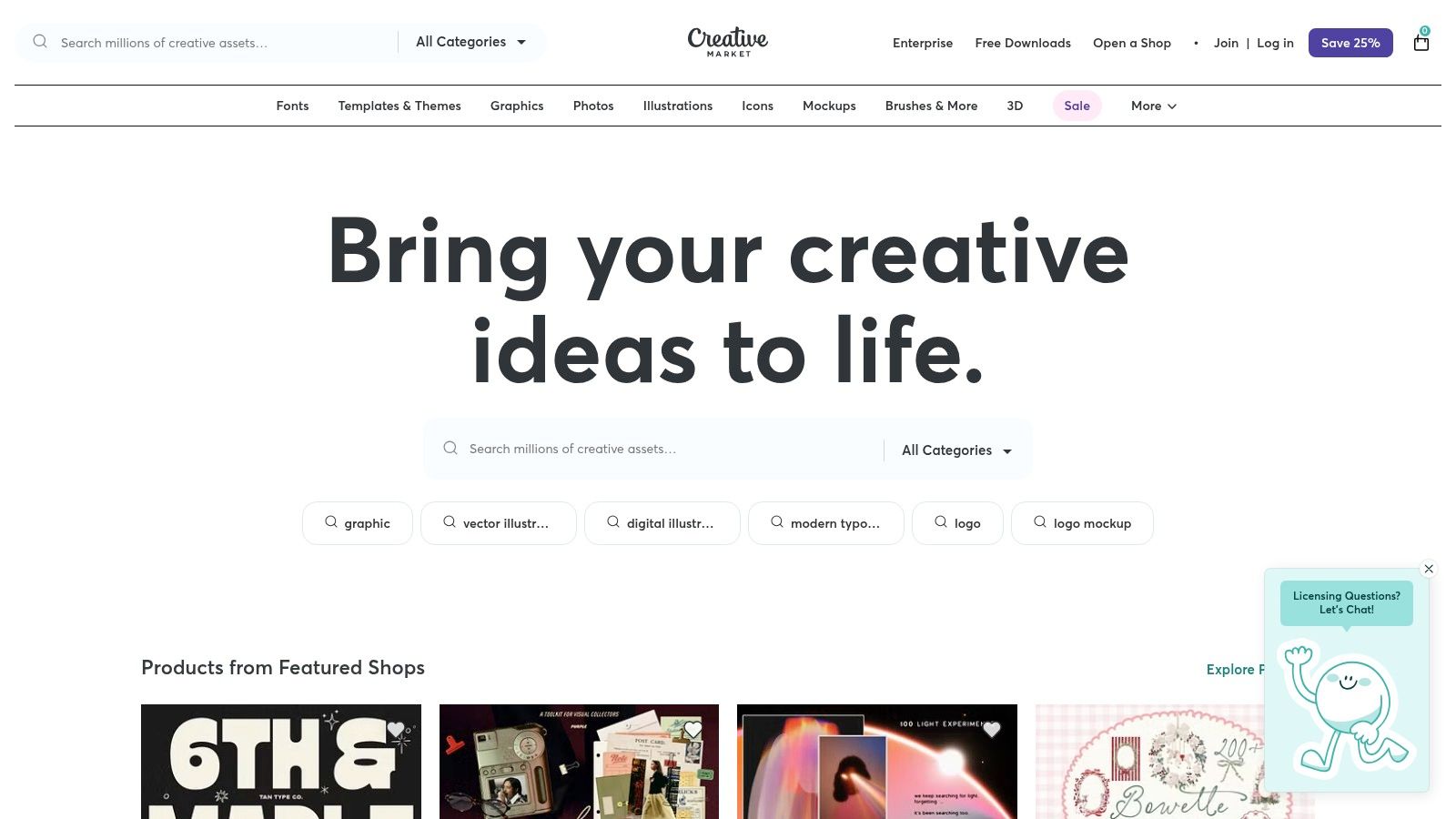
The platform hosts thousands of independent shops, giving you access to an incredible diversity of styles. Many template kits go beyond just the "about me" page, providing a full suite of matching brand assets like social media banners, media kits, and business card designs. This allows you to build a cohesive and professional brand identity across all your touchpoints with a single purchase.
Strategic Breakdown
Creative Market’s strategy is built on curation and quality from a community of professional designers. It bridges the gap between generic templates and hiring a custom designer. By purchasing a template, you get the benefit of a designer's expertise in layout, typography, and visual hierarchy without the high cost and long timeline of a custom project.
- Key Insight: The platform empowers users to achieve a premium, custom-designed feel on a DIY budget. Many templates include pre-written copy prompts, which helps you structure your story effectively and overcome writer's block.
- Unique Feature: Its multi-platform support is a major advantage. Whether you're a designer working in Figma or a marketer using Canva, you can find a template built for your specific workflow, which drastically simplifies the implementation process.
Actionable Takeaways
Creative Market is one of the best sources for premium about me page examples when you want a design that truly stands out from the crowd.
- Pricing: Templates are sold individually, typically ranging from $15 to $70. There is no subscription required, you buy once and own the template. They also offer an optional membership for sitewide discounts.
- Best For: Creative professionals, freelancers, and small business owners who want a unique, designer-quality "about me" page and have access to design software like Canva, Figma, or Adobe Creative Suite.
- Pro Tip: Always read the product description carefully to check for software compatibility and licensing terms. Look for bundles that include a complete brand kit to ensure your "about me" page perfectly matches your other professional materials.
Website: https://creativemarket.com
7. Etsy
While not a single page, Etsy is a massive marketplace where independent creators sell thousands of professionally designed "about me" templates, often for pennies on the dollar. It’s a treasure trove for anyone looking for a niche-specific, low-cost design that can be instantly downloaded and customized. Many of these templates are built for Canva, combining affordability with user-friendly editing.
What makes Etsy unique is the sheer variety and specificity. You can find templates tailor-made for realtors, therapists, business coaches, or social media influencers. This level of specialization means you can start with a design that already speaks the language of your industry. Buyer reviews and ratings add a layer of social proof, helping you gauge the quality and ease of use before you even make a purchase.
Strategic Breakdown
Etsy’s strategy is built on community-driven variety and affordability. It leverages a global network of designers to offer an almost infinite catalog of styles, making it one of the most versatile sources for about me page examples. The platform acts as a bridge between creative sellers and buyers who need a polished result without the high cost or time investment.
- Key Insight: By tapping into a marketplace model, Etsy provides access to highly specialized and creative templates that you wouldn't find on a single design platform. This allows you to find a design that perfectly matches your personal brand's unique aesthetic.
- Unique Feature: The instant-download nature of digital products means you can purchase a template and begin customizing it within minutes. Most sellers also include helpful PDF guides, making the process smooth even for total beginners.
Actionable Takeaways
Etsy is an excellent resource for finding budget-friendly, highly-specific templates.
- Pricing: Extremely affordable. Many high-quality, single-page templates are available for under $10, with some bundles costing even less per design.
- Best For: Professionals in niche industries (like real estate or coaching), students, and freelancers who want a unique design on a tight budget.
- Pro Tip: Always read the item description carefully. Some templates require a Canva Pro account to use all elements without watermarks. Look for listings that explicitly state they are "100% editable with a free Canva account" to avoid unexpected costs.
Website: https://www.etsy.com/market/canva_about_me_template
About Me Page Examples: Top 7 Comparison
| Item | Implementation complexity | Resource requirements | Expected outcomes | Ideal use cases | Key advantages |
|---|---|---|---|---|---|
| Fantastic Portfolios | Very low — upload resume or start from scratch; AI automates structure | Minimal: free tier available; Pro from ~$3/mo for advanced features; no hosting skills needed | Professional, ATS‑optimized portfolio with visitor analytics and AI assistance | Job seekers, freelancers, students wanting fast portfolio launches | Resume→site automation, built‑in AI resume analyzer, free plan, analytics and chat lead capture |
| Canva | Very low — drag‑and‑drop editor, template customization in browser | Browser access; free plan; some assets and custom domain require paid tier | Custom visual About pages/one‑pagers exportable as web links, PDF, PNG, MP4 | Non‑technical users, quick bios, presentations, students | Huge template library, beginner‑friendly editor, multi‑format export |
| Webflow Templates Marketplace | Medium — purchase template then customize in Webflow’s visual designer | One‑time template cost; Webflow hosting subscription required to publish | High‑quality sites with advanced interactions and granular layout control | Designers/agencies needing polished interactions and custom layouts | Professional modern designs, no‑code visual control, CMS support |
| Squarespace | Low — template‑based site building with cohesive styling and guides | Subscription required for publishing/custom domain; templates and guides included | Polished, mobile‑responsive About pages launched quickly with brand consistency | Creatives and small businesses seeking cohesive branded sites fast | Strong native styling, built‑in writing guidance, quick launch |
| Envato Elements | Medium — download templates/assets then adapt in HTML/WordPress/Figma | Subscription for unlimited downloads; implementation requires builder/developer | Large variety of downloadable templates to implement and test across platforms | Agencies, designers, teams needing many assets for multiple projects | Massive asset library, cost‑effective for many downloads, commercial license |
| Creative Market | Medium — buy designer templates or kits and adapt in design tools | One‑time purchases; requires design tools (Canva/Figma/PS) or developer help | Polished niche‑specific templates and brand kits ready for adaptation | Designers or buyers wanting unique, single‑purchase assets | Designer‑made kits, varied formats, cohesive brand assets |
| Etsy | Low — instant‑download templates (often for Canva) with setup instructions | Very low cost per item (many <$10); may need Canva Pro for some elements | Affordable, quick About templates with variable quality and customization speed | Budget‑conscious users needing niche templates quickly | Very affordable, instant access, large niche selection and buyer reviews |
From Example to Execution: Your Next Steps
We've explored a diverse landscape of tools and strategies, analyzing numerous about me page examples to uncover what truly resonates. From the AI-powered storytelling of Fantastic Portfolios to the bespoke templates found on Creative Market and Envato, a clear pattern emerges. The most compelling "About Me" pages are not static résumés; they are dynamic, strategic introductions designed to forge a human connection.
These pages succeed because they master three core elements: they establish authority with a clear value proposition, build trust through authentic storytelling, and guide visitors toward a specific action. Your page is your digital handshake, the one space where you have total control over the narrative. I urge you not to waste it by simply listing your skills. Instead, weave them into a story that answers the visitor's most pressing question: "Why should I choose you?"
Synthesizing the Key Takeaways
Reflecting on the examples we've dissected, several actionable principles stand out. Remember the Webflow example that used subtle animations to guide the eye? Or the Squarespace portfolio that leveraged a clean, minimalist grid to let the work speak for itself? These weren't just aesthetic choices; they were strategic decisions.
Here’s a summary of the most critical, replicable strategies:
- Lead with Your "Why": Start with your unique value proposition or mission statement. Don't make visitors hunt for the reason you're the right person for the job. Hook them immediately with a powerful headline.
- Show, Don't Just Tell: Instead of saying you're "creative," show a project that broke the mold. Instead of listing "collaboration" as a skill, share a brief story about a successful team project. Testimonials and case study snippets are invaluable here.
- Embrace Your Personality: Authenticity builds trust. Whether it's through a professional yet warm headshot, a touch of humor in your copy, or sharing a relevant personal anecdote, let your personality shine. Research I've read suggests that content with a clear, authentic voice can increase engagement by over 20%.
- Guide with a Clear CTA: Every element on your page should funnel visitors toward a single, primary action. Whether it’s “View My Work,” “Schedule a Consultation,” or “Download My Résumé,” make the next step obvious and effortless.
Choosing Your Toolkit and Launching Your Page
Now it's time to translate inspiration into action. The right tool depends entirely on your goals, technical comfort level, and budget.
- For Speed and AI-Powered Storytelling: If you want a professionally written narrative and a stunning design without the manual effort, an AI-driven platform like Fantastic Portfolios is your best bet. It’s perfect for professionals who value efficiency and a polished final product.
- For Maximum Creative Control: If you're a designer or developer who wants to build a truly unique experience from the ground up, Webflow offers unparalleled control over design and interactions.
- For Simplicity and Aesthetics: If you need a beautiful, functional site up and running quickly with minimal fuss, Squarespace and Canva provide intuitive interfaces and professionally designed templates.
- For Niche and Budget-Friendly Designs: If you're looking for unique, handcrafted templates or design assets, marketplaces like Envato Elements, Creative Market, and Etsy are treasure troves of inspiration.
Once you’ve selected your platform, begin by outlining your story. Define your audience, clarify your primary goal, and gather your assets (photos, project examples, testimonials). To further aid in your creation process and explore more options, you might find a guide on the best tools for content creators to be a helpful resource. The examples in this article are your blueprint; now, it’s time to start building your own narrative.
Ready to stop staring at a blank page and start building a connection? Let Fantastic Portfolios use AI to craft your professional story and design a stunning, high-impact "About Me" page in minutes. Move from inspiration to execution today and create a portfolio that truly represents you.