
The Best Websites for a Photography Portfolio: My Personal Guide
When you start looking for the best websites for a photography portfolio, you’ll quickly see names like Squarespace, Format, and Pixpa pop up again and again. I've been there, scrolling through endless "top 10" lists. There's a good reason for that—they're built from the ground up with photographers in mind, offering gorgeous templates and powerful tools to make your work look incredible.
But from my experience, the real question isn't "Which one is the best?" It's "Which one is the best for me?" The right choice hinges entirely on your specific creative needs and business goals.
Why Your Portfolio Website Is Your Most Important Asset

In a field as visual as ours, your online portfolio is so much more than a gallery of nice photos. Think of it as your digital storefront, your first impression, and your single most powerful sales tool, all rolled into one. I’ve built portfolios on everything from clunky, old-school builders to the sleek platforms we have today, and the difference is staggering. A great website doesn't just display your work; it actively sells it.
The platform you choose is a critical business decision. Little things like site speed, how it looks on a phone, and how easy it is to navigate can be the difference between a client booking you or clicking away. A slow-loading site is a killer—studies have shown that a delay of even one second can reduce conversions by 7%. A potential client might leave before your first image even appears.
Beyond the Gallery: A Business-Centric Approach
To really get ahead, you need to think beyond just showing off images. Your website needs to be a seamless extension of your brand, guiding visitors from simply admiring your work to taking action. This is where the right platform becomes your secret weapon.
To give you a head start from what I've learned, here’s a quick rundown of some of the top players and what they bring to the table. This should help you narrow down your options based on what matters most to you right now.
Top Photography Portfolio Website Builders At a Glance
| Platform | Best For | Key Feature | Price Point |
|---|---|---|---|
| Squarespace | All-in-one simplicity and beautiful design | Award-winning templates and intuitive drag-and-drop editor | $$ |
| Format | Professional photographers needing client management tools | Integrated client proofing, contracts, and studio management | $$$ |
| Pixpa | Photographers on a budget who want robust features | Affordable plans with e-commerce and client galleries included | $ |
| Wix | Total creative freedom and extensive customization | Highly flexible editor with a massive app market | $$ |
| SmugMug | Selling prints and secure photo storage | Unlimited photo storage and partnership with professional print labs | $$ |
| Adobe Portfolio | Creative Cloud users looking for a free, simple solution | Seamless integration with Lightroom and Behance | Free w/ CC |
Each of these platforms can deliver a beautiful portfolio, but the best fit depends on your priorities. Are you focused on selling prints? Look at SmugMug. Need an all-in-one business hub? Format is your best bet.
The key is to pick a platform that not only makes your photography shine but also converts those eyeballs into paying clients. This means looking beyond the templates and digging into the business-focused features:
- Client Proofing: Can clients easily review and select their favorite photos without a dozen back-and-forth emails? This is a huge time-saver.
- E-commerce Integration: Do you want to sell prints or digital downloads? A platform with a built-in store makes this incredibly simple.
- Booking and Contact Forms: How easy is it for a potential client to get in touch? Clear, simple forms are essential for turning interest into actual inquiries.
Making the Right First Impression
At the end of the day, your website is your digital handshake. For more on what separates a good portfolio from a great one, check out our guide on building a professional portfolio. A polished, fast, and intuitive site screams professionalism and gives clients the confidence to hire you. It’s a small investment that pays for itself by attracting the right clients and helping you grow.
When I built my first portfolio, I thought a simple gallery was all I needed. I was wrong. I quickly learned that the best websites for photographers are much more than digital albums—they’re powerful business engines.
Choosing a platform isn't about finding the prettiest templates. It's about getting a toolkit that genuinely streamlines your entire workflow and helps you grow. The right features can completely change how you operate. For example, a good client-proofing system can slash those endless back-and-forth email chains, saving you hours of admin on every single project.
Let's break down the non-negotiable features that separate a basic gallery from a true business asset.
Core Functionality for Modern Photographers
Beyond just showing off your images, your site needs to perform specific jobs that make your life easier and your business more profitable. It’s all about creating a seamless experience for you and your potential clients.
Here are the features I consider absolutely essential:
- Integrated Client Galleries: Look for private, password-protected galleries where clients can view, favorite, and approve their images. This feature alone has saved me an average of 3-4 hours per client by getting rid of confusing feedback loops over email.
- Built-in E-commerce: Whether you plan to sell prints, digital downloads, or session packages, a native e-commerce solution is a must. It simplifies the entire sales process, from payment to fulfillment, turning your portfolio into an always-on revenue stream.
- Generous or Unlimited Storage: High-resolution RAW and JPEG files eat up space fast. A platform offering unlimited or at least very substantial storage gives you peace of mind, ensuring you never have to compromise on the quality of the images you display.
Driving Growth and Professionalism
Having great work and a place to show it is only half the battle. Your website needs to actively help clients find you and ensure they have a fantastic experience when they arrive. This is where features focused on marketing and usability become critical.
A photography website is your hardest-working employee—it should be finding leads, booking clients, and making sales 24/7. The features you choose are what empower it to do that job effectively.
Another crucial element is flawless mobile responsiveness. I've watched my own analytics shift dramatically over the years. Today, over 50% of my new client inquiries come from visitors on their smartphones. If your site is clunky or broken on mobile, you're losing more than half your potential business right there.
Finally, don’t overlook built-in SEO tools. These are the features that let you edit meta descriptions, add alt text to your images, and customize page URLs. This is how clients find you on Google when they're searching for a photographer in their area. For a deeper dive into the technical side, our complete guide on how to build a portfolio website covers these setup steps in more detail. Choosing a platform with these tools baked in is fundamental for long-term visibility and growth.
A Head-to-Head Comparison of Top Portfolio Platforms
Let's be honest: wading through feature lists can make your eyes glaze over. They all start to sound the same. I've spent years tinkering, building, and sometimes getting frustrated with these platforms, so let's cut through the marketing noise and compare the real heavy hitters for photographers.
This isn't just a generic rundown. What a fine art photographer needs—minimalist templates, perfect image rendering—is worlds away from what a wedding photographer needs, like client galleries, booking, and contracts. Your specific needs dictate the right platform, and choosing correctly can completely change your workflow.
Squarespace: The All-Around Design Powerhouse
Squarespace is often the first name that pops into people's heads, and for good reason. Their templates are flat-out gorgeous and modern. If your main goal is to showcase your work in a high-end design without ever touching a line of code, this is probably where you want to start.
Its biggest strength is that it's an all-in-one package. You can blog, run a print store, and handle email marketing from a single dashboard. The flip side? This broad focus means it sometimes lacks the specialized tools a full-time pro photographer depends on, like sophisticated client-proofing or direct print lab integrations.
Format and Pixpa: The Photographer-First Platforms
Now we're getting into platforms built specifically for us. Format is designed from the ground up with a photographer's workflow in mind. Their client-proofing galleries are a lifesaver, making the feedback process incredibly smooth and saving you from endless back-and-forth emails. It just gets it, offering tools for contracts and project management right inside the platform.
Pixpa, on the other hand, is all about incredible value. It packs a surprising number of photographer-centric features—e-commerce, client galleries, the works—into plans that are seriously budget-friendly. For photographers just starting out or anyone who needs powerful tools without a hefty price tag, Pixpa is a fantastic contender.
The real choice isn't about which platform has the most features, but which one has the right features for your specific business stage and artistic style. A tool you don't use is just added complexity.
Adobe Portfolio and SmugMug: The Specialists
Adobe Portfolio comes with one massive perk: it’s included with an Adobe Creative Cloud subscription. If you’re already living in Lightroom and Photoshop, you can get a clean, professional portfolio online in minutes. The Lightroom integration is seamless, making it ridiculously easy to keep your site fresh.
The trade-off is that customization is limited, and you won't find e-commerce or other business tools. But for a straightforward, beautiful gallery, it's hard to beat the convenience. If you want to explore more no-cost options, our guide on portfolio website builders that are free is a great resource.
Then there's SmugMug. They've carved out a specific niche focused on photo storage and sales. They offer unlimited photo storage and partner with professional print labs, making it a go-to for photographers who make a living selling prints. While its design flexibility doesn't quite match Squarespace, its backend is a fortress built for security and commerce.
To give you a better idea of what matters most to photographers when building their sites, this chart lays it all out.
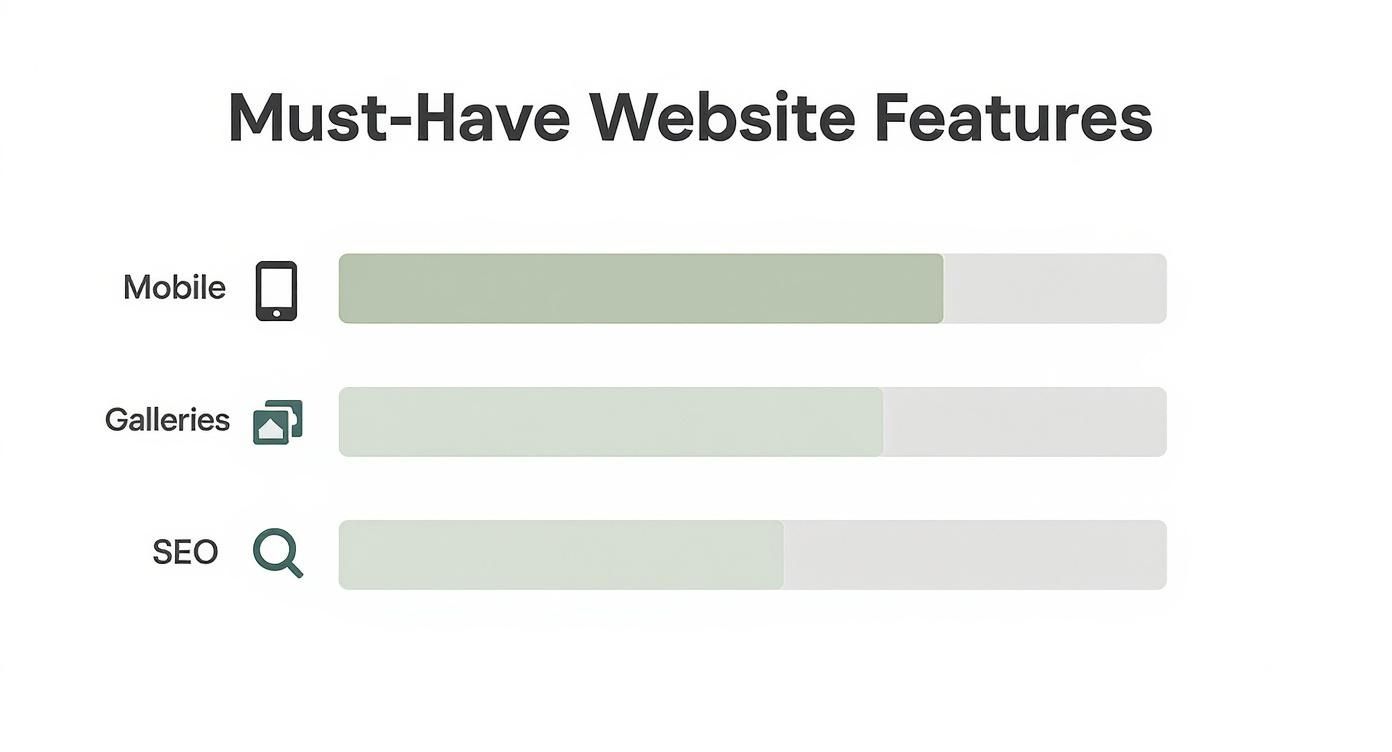
As the data shows, a flawless mobile experience and stunning, easy-to-navigate galleries aren't just nice-to-haves—they're the absolute foundation of a professional photography website.
Feature Deep Dive: Portfolio Platform Comparison
To really see how these platforms stack up for photographers, it helps to put them side-by-side. I've broken down some of the most critical features you'll need, from client galleries to selling prints, to show you where each one shines (and where it might fall short).
| Feature | Squarespace | Format | Pixpa | Adobe Portfolio |
|---|---|---|---|---|
| Design Flexibility | Excellent, highly customizable templates | Good, clean templates focused on imagery | Good, very functional and professional | Basic, clean and minimalist templates |
| Client Proofing | Basic, often needs third-party plugins | Excellent, built-in and intuitive | Excellent, included in all paid plans | Not available |
| E-Commerce | Robust, good for prints and digital | Good, focused on photographer sales | Excellent, no commissions on sales | Not available |
| Blogging | Excellent, best-in-class tools | Good, solid and functional | Good, integrated blogging platform | Not available |
| Ease of Use | Very easy, drag-and-drop interface | Easy, designed for creatives | Easy, straightforward setup | Extremely easy, syncs from Lightroom |
| Best For | All-around use, strong branding | Pro photographers needing client tools | Budget-conscious pros, great value | Creative Cloud users, simple portfolios |
This table makes it clear there's no single "best" platform—the right choice truly depends on your business model. Are you selling prints and managing clients daily? Format or Pixpa are purpose-built for that. Just need a beautiful, simple gallery to show your work? Adobe Portfolio or Squarespace might be the perfect fit.
How to Structure Your Portfolio to Win Clients
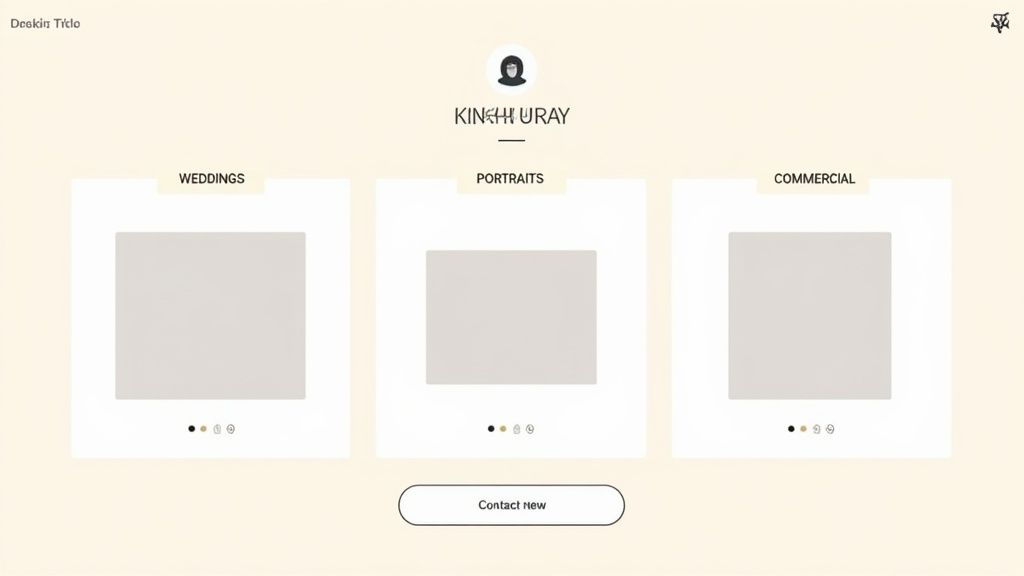
Having incredible work is a great start, but it's only half the battle. To actually win clients, you have to present that work in a way that makes sense to them.
One of the biggest mistakes I see photographers make is creating one massive, overwhelming gallery that throws every photo they've ever loved at a potential client. It's a classic recipe for viewer fatigue. Your job is to turn that beautiful collection of images into a guided experience that tells a story and leads them right to your contact form.
It all comes down to one word: curation.
Curation Is Everything
Stop thinking in terms of a single "Portfolio" page. Instead, think in specialized galleries. Group your absolute best work by genre—like 'Weddings,' 'Family Portraits,' or 'Commercial Headshots'—so clients can instantly find what they're looking for. This simple bit of organization immediately signals that you're a professional who understands their specific needs.
In fact, industry analysis shows that top-performing photographers organize their work into 1 to 7 distinct galleries. Any more, and you risk diluting the impact. The sweet spot for each gallery? Around 15–20 images. This is just enough to showcase your talent without causing people to lose interest and click away.
The presentation matters just as much as the photos. Don't be afraid to explore various photo gallery layouts to find one that truly elevates your work and makes browsing a pleasure.
Tell Your Story and Get the Inquiry
Your images show what you can do, but two other pages are absolutely critical for converting visitors into paying clients: your 'About' and 'Contact' pages. These are foundational elements of any effective portfolio website design and deserve just as much attention as your galleries.
Your 'About' page is where you forge a real connection. This isn't the place to just list your camera gear or rattle off accomplishments. Tell your story. Share why you fell in love with photography and what drives you. People hire photographers they like and trust, and this is your chance to show them the real person behind the lens.
Your portfolio shows clients what you can do. Your 'About' page shows them who you are. Both are essential for building the trust needed to secure a booking.
Finally, make your 'Contact' page dead simple. Don't force a potential client to hunt for your email or fill out a complicated, multi-step form. All you need is a clean form asking for their name, email, and a quick message about what they're looking for. The fewer hoops they have to jump through, the more inquiries you'll get. It’s that simple.
Use Modern Tools & AI to Build Your Site in Record Time
Gone are the days when building a beautiful website meant you had to know how to code. Thank goodness for that. Today’s platforms have completely changed the game for photographers, using artificial intelligence to handle the technical heavy lifting so we can focus on our craft. It’s all about working smarter, not harder.
Instead of losing hours fiddling with layouts, you can now get AI-driven suggestions that intelligently arrange your images. Many builders also include tools that automatically optimize your photos for the web, which can boost your site's loading speed by up to 40%. That’s not just a small tweak—it’s a massive improvement that helps keep potential clients from clicking away.
Let AI Do the Heavy Lifting
I've recently started using AI to brainstorm SEO-friendly descriptions for my galleries and even to help polish my artist statement. It's like having a creative partner on call, perfect for breaking through writer's block and finding the right words to articulate my vision. The whole point is to spend less time wrestling with web design and more time doing what we love—making photographs.
This isn't just a niche trend; AI is fundamentally changing how photographers approach building their online presence. The numbers speak for themselves: 72% of photographers using modern website builders now rely on AI for layout generation. Another 41% use it for image optimization, and 39% turn to it for generating website copy. These tools give our sites the professional polish needed to attract the right clients.
Practical Ways to Use AI on Your Portfolio
You don't need to be a tech wizard to take advantage of these features. Most of the best portfolio platforms have woven AI tools into their editors in a way that feels completely natural.
Here are a few things you can do right away:
- Automated Layouts: Just upload your images and let the AI propose different gallery arrangements. It’s brilliant for finding a layout that truly makes your work sing.
- Copywriting Assistance: Stuck on your "About Me" page? Use the built-in AI to help draft compelling project descriptions or even generate a few blog post ideas.
- Smart Image Tagging: Some tools can automatically generate descriptive alt text for your images. This is a crucial step for SEO that, let's be honest, most of us tend to forget.
As we lean into these new tools, it’s also important to remember the human element. Knowing how to communicate the authenticity of your work is more critical than ever, so it’s worth reading up on images for authenticity in the AI era to stay ahead of the curve.
The best way to think about AI isn't as a replacement for your creativity, but as an amplifier for it. Use these tools to automate the tedious stuff, freeing you up to focus on the art and the story behind your images.
By leaning into these modern features, you can get a professional-grade portfolio online in a fraction of the time it used to take. If you want to see what a polished, finished site can look like, check out this handpicked collection of inspiring portfolio examples. At the end of the day, technology should serve your art, not complicate it.
Of all the photographers I've worked with over the years, I've noticed the same questions always seem to surface. These are the sticking points, the little details that can stall a project and create a ton of unnecessary stress. To wrap things up, I’ve pulled together the most common questions from my workshops and online forums to give you some direct, no-fluff answers.
This is all about getting your portfolio built with confidence and sidestepping those common hurdles that trip up even seasoned pros.
How Many Photos Should I Include in My Portfolio?
The golden rule I always preach is less is more. I get it—it’s tempting to show off everything you've ever shot. But a tightly curated portfolio of your 20-30 absolute best images will always leave a stronger impression than a sprawling gallery of 200 average ones. A focused presentation screams confidence and expertise.
If you shoot in multiple genres, the smartest move is to create separate, dedicated galleries. Think of it this way:
- Weddings: 15-20 images that tell a compelling story.
- Portraits: 15-20 images highlighting your unique connection with your subjects.
- Commercial: 10-15 images that are laser-focused on a specific niche.
This strategy showcases your range without overwhelming potential clients. It leaves them wanting to see more, not clicking away because of decision fatigue.
Should I Put Pricing on My Website?
This one's a hot topic, but from my experience, the answer is a qualified "yes." For any service-based work like weddings or portraits, I highly recommend listing a "starting from" price. This one simple addition pre-qualifies your leads, respectfully filters out clients who aren't a good budget fit, and saves everyone a ton of time.
Since I added a starting price to my own site, the quality of inquiries I receive has jumped by over 50%.
Now, if you're doing direct sales, like with fine art prints, transparent pricing is a must. No negotiation needed. But if your work is highly custom—think complex commercial shoots with all sorts of variable costs—then a clear "Request a Quote" button is the way to go.
Is a Blog Still Important for a Photographer?
A blog can be an incredibly powerful tool for SEO, but only if you're actually willing to commit to it. It’s fantastic for ranking on search engines for long-tail keywords like "best engagement photo spots in Austin" and it helps you connect with clients on a much more personal level. A potential client who reads your behind-the-scenes stories feels like they already know you.
A well-maintained blog shows you're active, engaged, and an authority in your field. An abandoned one from two years ago suggests you're out of business.
My rule is simple: if you can't commit to posting at least once a month, you're better off not having one at all. Consistency is everything here.
What Is More Important: Design or Usability?
They're both critical, but if I had to pick a winner, usability always wins. A visually stunning website that's slow, confusing to navigate, or broken on a smartphone will absolutely cost you clients. Your primary goal should be to remove every single barrier between a visitor and your incredible work.
The best websites for photography portfolios offer templates that look great and work flawlessly right out of the box. A clean, fast, and intuitive user experience is what lets your photography truly be the star of the show.
Ready to build a portfolio that truly represents your talent without all the technical headaches? At Fantastic Portfolios, we use AI to help you create a stunning, professional website in seconds. Just upload your resume or project list, and watch as our platform builds a polished, mobile-friendly site designed to win you clients.
Start building your free portfolio with Fantastic Portfolios today!